Quick Start
Build and solve your first flowsheet in under two minutes via the web canvas (drag a Feed + Distillation + two Products, connect, hit Run) or the Python SDK (`pip install flowsim-sdk`, `client.run_and_wait(...)`).
onboardingsdkcanvas
Concept
Two paths to a converged flowsheet: the web canvas (visual, immediate) or the Python SDK (scriptable, reproducible). Both build the exact same FlowsheetSchema JSON and hit the exact same solve endpoint — neither is a "lesser" path.
Execution
Web canvas
- Open
/appand pick File ▸ New ▸ Ethanol–water distillation from the example library (or start from a blank sheet). - Drag a Feed, a Distillation column and two Products from the Model Palette under the flowsheet, and wire them by dragging from port to port.
- Double-click a block to open its Input sheet and set the feed composition, the column's stages and its reflux ratio.
- Pick the property method from the status bar or Properties ▸ Methods (NRTL for this polar pair).
- Press Run (F5) — Stream Results and Block Results fill in when the solve converges.
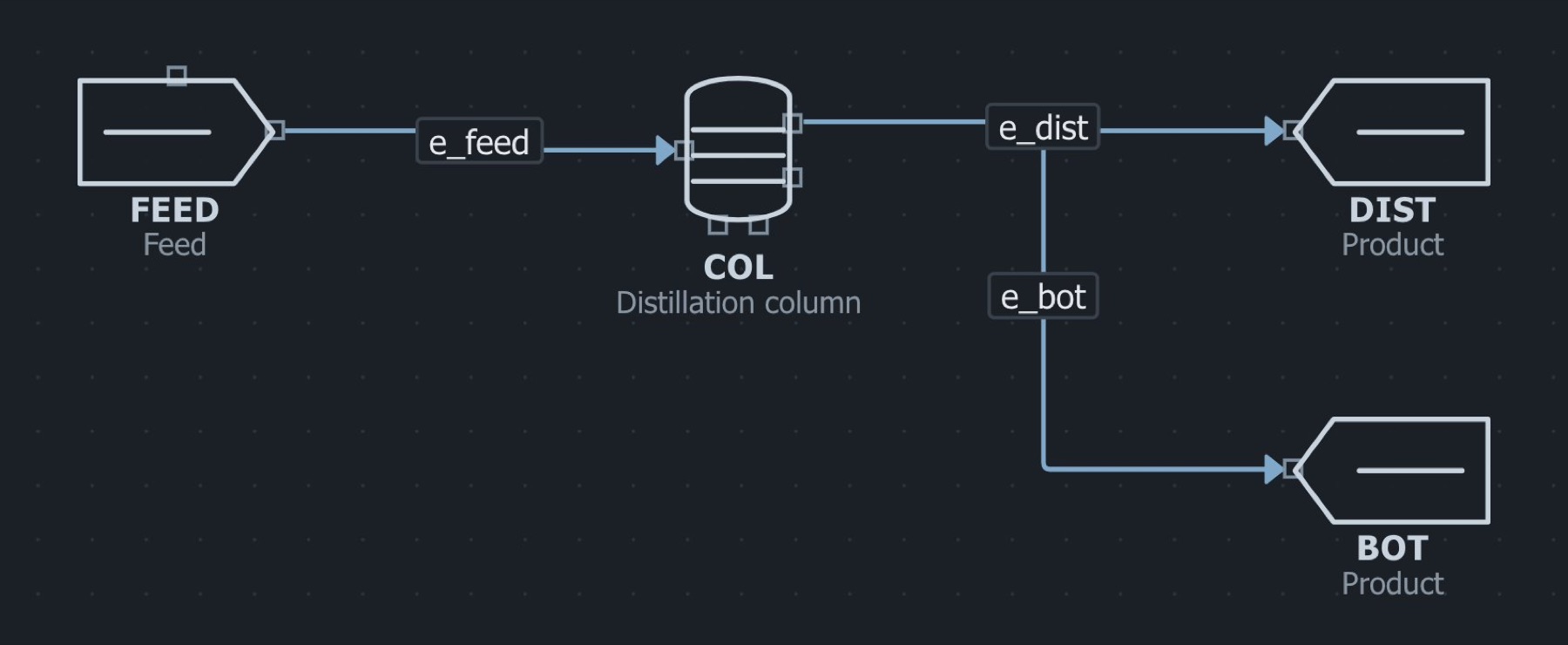
The example as it opens in the workbench. Click to enlarge.
Execution
Scripted (SDK or plain REST)
pip install flowsim-sdk pandas

from flowsim.sdk import FlowSimClient, feed, unit, edge
from flowsim.sdk.notebook import Simulator

fs = {
    "thermo_package": "nrtl", "components": ["ethanol", "water"],
    "nodes": [
        feed("FEED", flow=10, temperature=350, pressure=101325,
             composition={"ethanol": 0.3, "water": 0.7}),
        unit("COL", "distillation", n_stages=8, feed_stage=4,
             reflux_ratio=2.5, distillate_rate=3.0, pressure=101325),
        unit("D", "product"), unit("B", "product"),
    ],
    "edges": [edge("e1", "FEED", "COL"),
              edge("e2", "COL", "D"), edge("e3", "COL", "B")],
}
client = FlowSimClient("https://maximalabs.io")
run = client.run_and_wait("demo", fs)

# Bind it the way every notebook does — the same Simulator, the same tables as the app.
Simulator = Simulator(client, run["id"])
print(Simulator.stream_table())   # the Streams sheet: T, P, flows, compositions
print(Simulator.block_table())    # the Blocks sheet: condenser and reboiler duty, residual